Flow Metrics & Analytics

Monte Carlo: Number of Tasks Simulation

Forecast how many tasks you can complete within a set timeframe. Use past performance data to manage scope effectively.
Adjust your plans as conditions change to stay on track.

Understand the Probability Distribution Chart

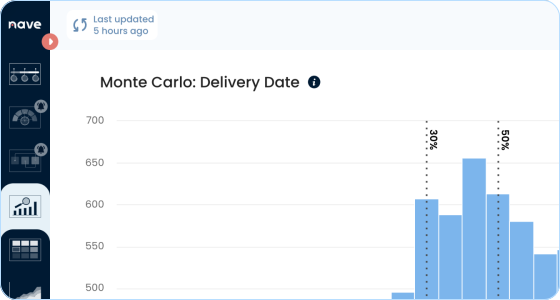
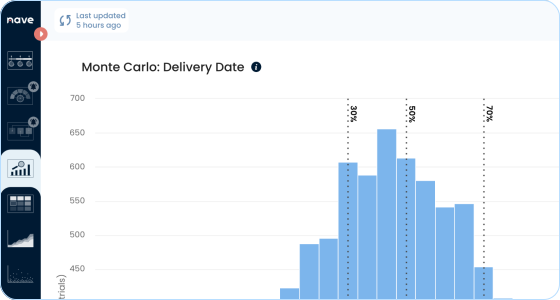
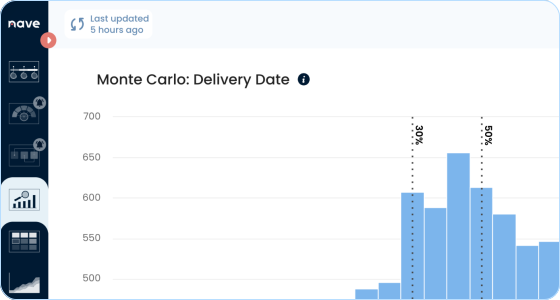
Monte Carlo: Delivery Date simulations generate thousands of possible outcomes using your past throughput data. The probability distribution graph shows a range of possible delivery dates, each with an assigned probability. Instead of setting a fixed deadline, you see the likelihood of finishing the work on different dates.
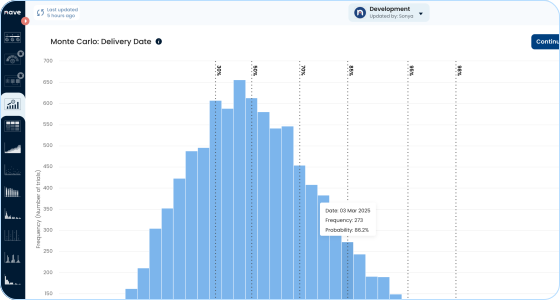
The further right you go on the curve, the more certainty you have—but that also means a later delivery date. If you need to balance speed and confidence, compare different probability levels (e.g., 70% vs. 85%) to find the right trade-off for your commitment.

Understand the Probability Distribution Chart

Use Percentiles to Set Reliable Delivery Dates

The vertical dotted lines are called percentiles and show the probability of finishing all work by a certain date—30%, 50%, 70%, 85%, 95%, and beyond. Percentiles help you assess different confidence levels and decide how much risk you’re willing to take when committing to a delivery date.

If the work is easy, your delivery workflow is stable, and you don’t expect any obstacles along the way, go with a lower percentile (70%). If the nature of the work is complex, there are plenty of unknowns, or you have never done this kind of work before, then commit to a higher percentile (95%, 98%). That way, you have a high probability of meeting your goal.

Use Percentiles to Set Reliable Delivery Dates

Define Your Simulation Scope

The simulation controls allow you to set the key parameters for your Monte Carlo forecast. You define the start date, the number of items to complete, and the number of trials the simulation will run. The system then uses your past throughput data to generate all possible scenarios and predict the most likely delivery dates.

Include both new and in-progress tasks in your total count. The simulation doesn’t predict which specific tasks will be completed—it only tells you how many will be finished by a given date, including those already in progress.

Define Your Simulation Scope

Scale Your Throughput to Account for Performance Changes

The scale factor lets you adjust your forecast based on expected changes in team performance. If you anticipate a slowdown due to holidays, resource constraints, or any external factors, you can scale throughput down. Conversely, if you expect an increase in delivery speed—such as after onboarding new team members—you can scale it up. By default, the scale is set to 0, meaning the simulation runs based solely on past performance without modifications.

Only use the scale factor if you expect a shift in throughput and don’t have historical data to account for it. If your past data already reflects similar conditions, rely on that instead.

Scale Your Throughput to Account for Performance Changes

Stop Guessing. Start Forecasting.

Use Monte Carlo simulations to make commitments you can stand behind. It's free for 14 days. No credit card required. No strings attached.

Run Your First Forecast Now