Flow Metrics & Analytics

Cycle Time Scatterplot

Analyze your cycle time trends. Identify the outliers in your process.
Forecast the delivery time of a single work item.

Track Your Cycle Time

In the Cycle Time Scatterplot, each data point corresponds to an individual completed work item on your board. Thе chart tells you when work items have been finished and how long they have taken to complete. The height of the dots represents their delivery times - the higher the dot, the longer it took for that work item to be completed.
By observing and analyzing your cycle time, you can evaluate how quickly you are delivering value to your customers. The goal is to reduce the delivery times to an optimal level for your team.

cycle time scatterplot - track your cycle times

Analyze Your Completed Work Items

By clicking on each dot, you will be able to see more details including the type of the work item and a direct link to it on your management platform. You can also perform an analysis of the time it has spent in each process state.

Work items with the same cycle time and delivery date will be clustered together. Click on the dot and expand the list of details to analyze them individually.

cycle time scatterplot - analyze your completed tasks

Forecast the Delivery Time of a Single Work Item

The dotted horizontal lines stretching across the graph are called percentile lines. We use percentiles to establish service level agreements and define the probability of different commitment points being met. A higher percentile means there's a greater chance of completing a work item on time.

You can filter your data by work item type or class of service. That way you can provide different SLAs for the different types of work you’re committing to.

cycle time scatterplot - forecast a task completion time

Analyze Cycle Time Percentiles for Each Process state

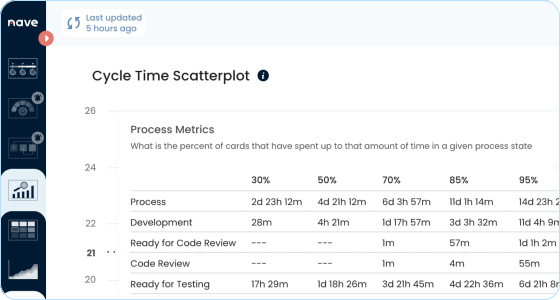
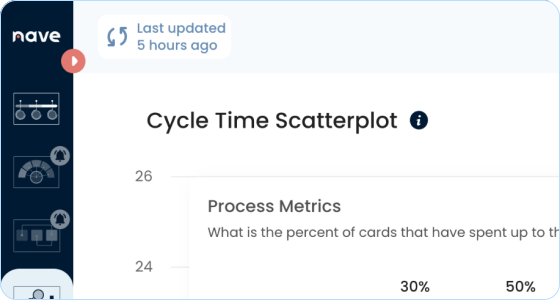
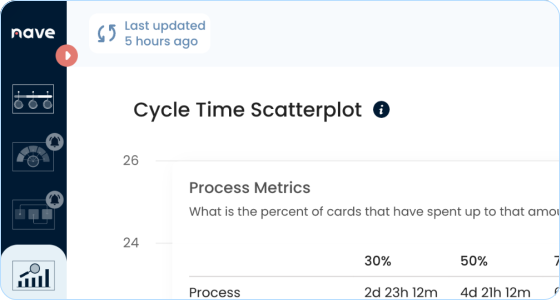
The Process Metrics widget on the Cycle Time Scatterplot helps you see not just how long work spends in each state, but also how predictable that time is. By comparing percentiles, you can identify where work is consistently delayed and which states have the most variability.

If a state has a high 85th or 95th percentile, it means work often gets stuck there for long periods. Furthermore, a big gap between the 50th and 95th percentile shows that while some tasks move quickly, others take much longer.

cycle time scatterplot - assess your performance

Monitor Your Cycle Time Trendline

The dotted green line stretching across the graph is your cycle time trendline. It uses polynomial regression to plot how your cycle time trend has been moving over the selected time period.

If the trendline goes up, this means that your team is struggling to deliver results. To avoid work items aging artificially, consider implementing explicit process policies to swarm them if they pass certain percentile lines.

cycle time scatterplot - monitor your cycle time trend

Observe How Your Percentiles Change Over Time

By using the Percentiles widget on the Cycle Time Scatterplot, you can observe how your cycle times percentiles change over time. Ideally, the lines should stay close to each other, while slightly going down. This means that your workflow is efficient and your team delivers value at a consistent pace.

If the lines go up, the first thing to look at is your work in progress. Apply WIP limits to your workflow steps and gain an agreement with your team to respect them.

cycle time scatterplot - observe how your cycle times change over time

Spot Outliers at a Glimpse

The Cycle Time Scatterplot enables you to quickly identify and analyze single work items that strike out on their own. These are the outliers in your process. These work items have significantly longer cycle times and are good candidates for closer examination to identify process impediments.

Look for Cycle Time Scatterplot patterns! Gaps, high variability, clusters of dots, or a progressively growing triangle shape clearly indicate where the bottleneck in your workflow is.

cycle time scatterplot - spot bottlenecks at a glimpse

Ready to transform your workflow?

Take the first step with a 14-day free trial of Nave and elevate your team’s performance.

Create Your First Dashboard Now