Release Notes
We take our users' needs and wishes very seriously, especially when it comes to updating our product. Our new features strive to contribute to your productivity and add extra joy to your daily operations.
Our release notes provide insight into what we’ve been developing, inspired by your needs and wishes. Thank you for your suggestions, they provide immense value to our continued collaborative growth.
To keep you updated every step of the way, we're sharing our product roadmap. Take a peek inside and send us your feedback!
28 January, 2026
New Aging Chart Toggle: Filter Time or Cards
We've added a new filtering option to the Aging Chart that gives you more control over how status filters affect your data visualization. You can now choose between two filtering options—filter the time or filter the cards. This new behavior is controlled by a toggle button available in the Aging Chart filter panel.
The default behavior is Toggle OFF, where work items currently in excluded statuses are completely removed from the chart. This maintains the existing filtering experience you're familiar with. Toggle ON is the new option. It keeps all work items visible in the chart. Only the time spent in filtered-out statuses is excluded from the Aging calculation.
26 January, 2026
We’ve added granular create permissions
We’ve added granular create permissions for Team Dashboards, Value Streams, and Portfolios to keep creation rights aligned with your user management system. You can grant or withdraw these permissions to suit your current needs.
Account owners receive this permission by default and can manage it themselves or delegate it to users with Manage Users access to handle the setup. This way, you can control who creates boards and how they’re shared with your team.
26 January, 2026
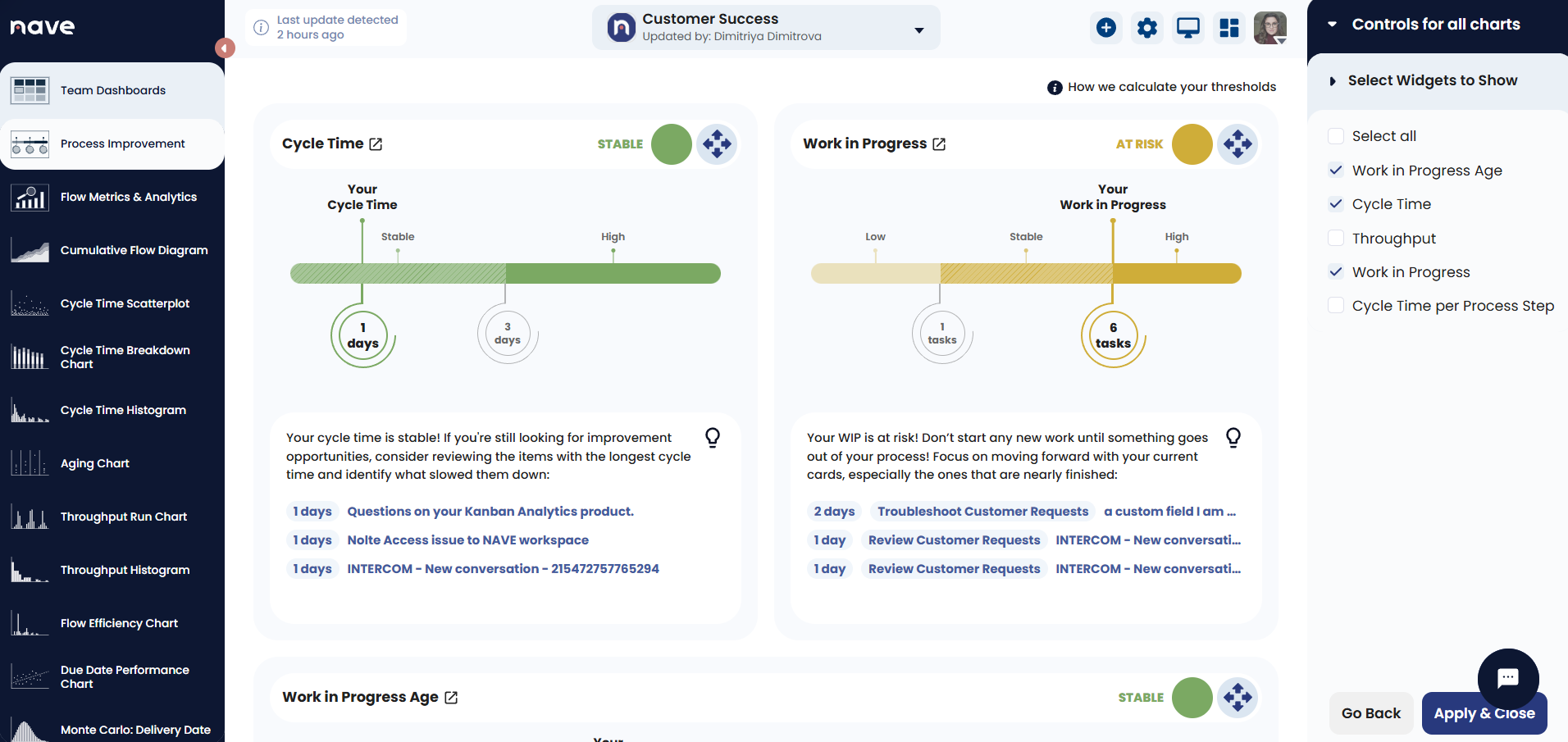
Customize your dashboard
Customize your dashboard to match the way you work. With this update, you can add or remove widgets on your Process Improvement and Overview pages to highlight the data you use most. You can also rearrange widgets by dragging them to your preferred position. Build a personalized view that keeps you focused on what's important in your daily workflow.
Ready to transform your workflow?
Take the first step with a 4-day free trial of Kanban Analytics Suite and elevate your team’s performance.