Release Notes
We take our users' needs and wishes very seriously, especially when it comes to updating our product. Our new features strive to contribute to your productivity and add extra joy to your daily operations.
Our release notes provide insight into what we’ve been developing, inspired by your needs and wishes. Thank you for your suggestions, they provide immense value to our continued collaborative growth.
To keep you updated every step of the way, we're sharing our product roadmap. Take a peek inside and send us your feedback!
02 December, 2025
Visualize and track all blockers in your process
We have introduced a new feature that helps you visualize and track all blockers in your process. A Blocked issues radio control has been added to our charts, allowing you to choose between All time, Blocked time and Time without blockers.
In the Cycle Time Scatterplot, tasks are displayed according to your selection and the Process Metrics table recalculates using only the filtered data set.
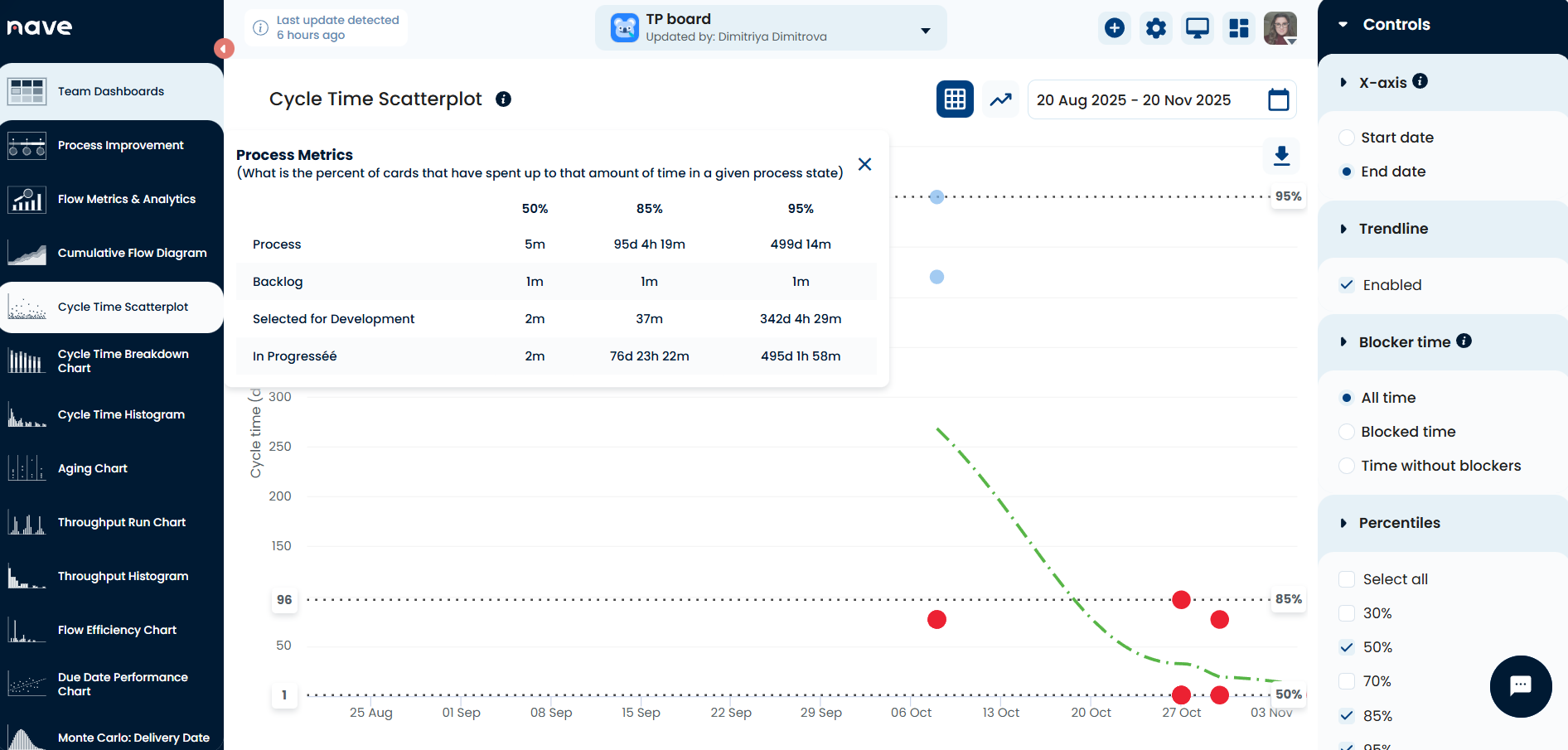
The Cycle Time Breakdown Chart now applies the same filtering, ensuring blocked time is handled correctly without removing items unless they were fully blocked.
When grouping by work items, the breakdown pie chart shows a breakdown of the blocked reasons (or defect reasons) work items have been assigned during their life cycle.
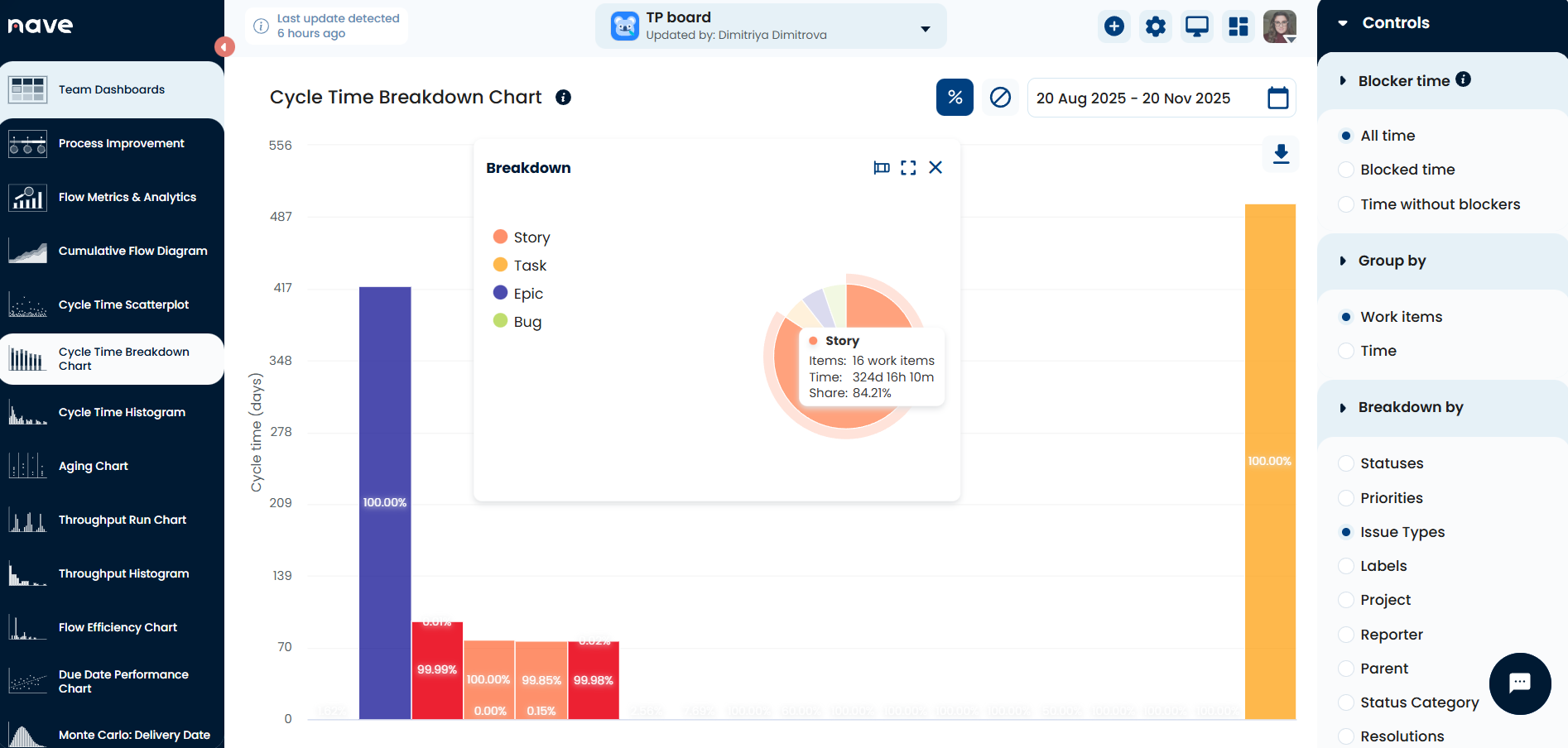
In the pie chart, we added item counts to the hover details, so each segment shows accumulated time, number of items and its share in percent. The corresponding bar chart also displays item counts for each breakdown value.
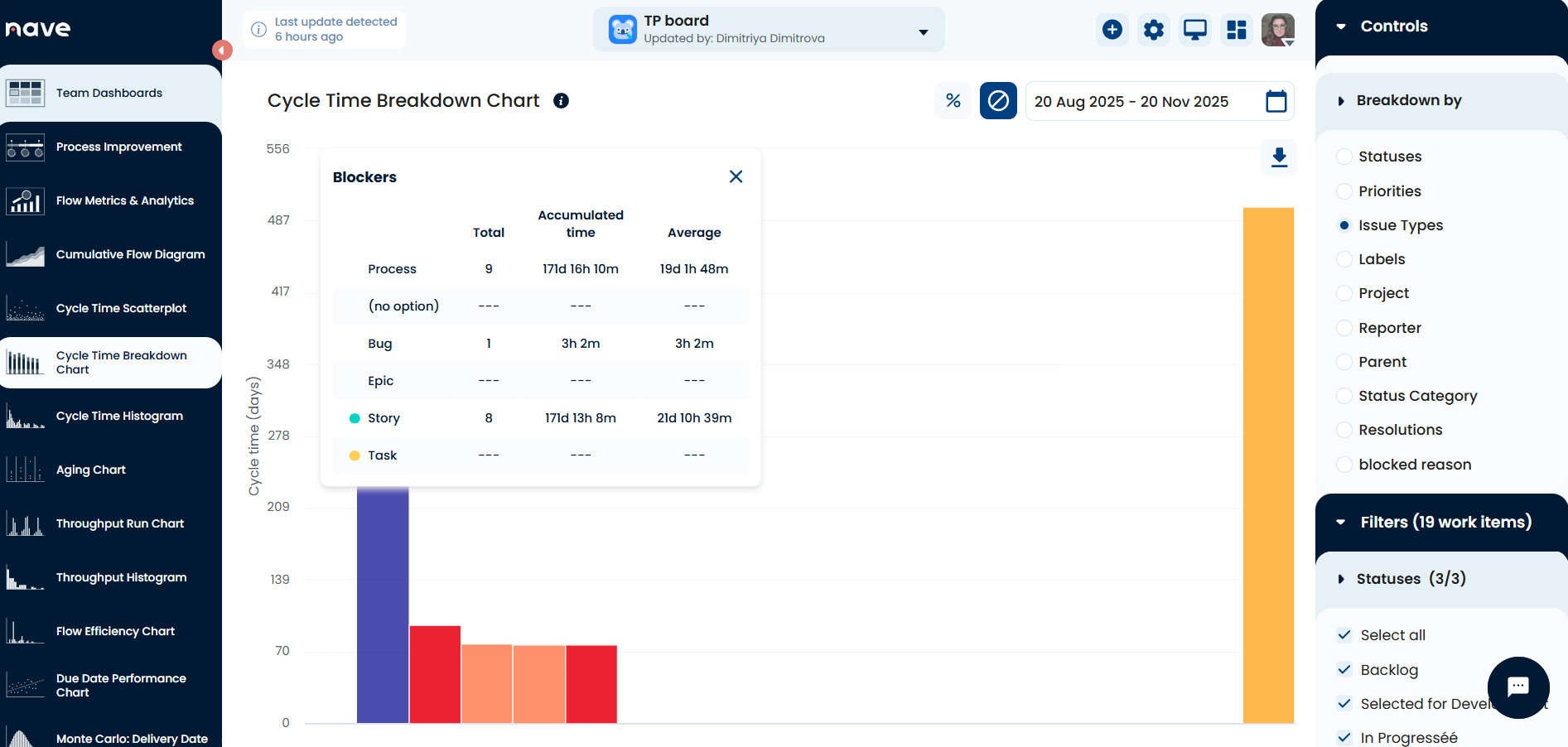
The Blockers table can now display blocked (flagged) time by any custom field you support (i.e. blocked reason) as well as by status, listing each reason together with item count, accumulated time and average time.
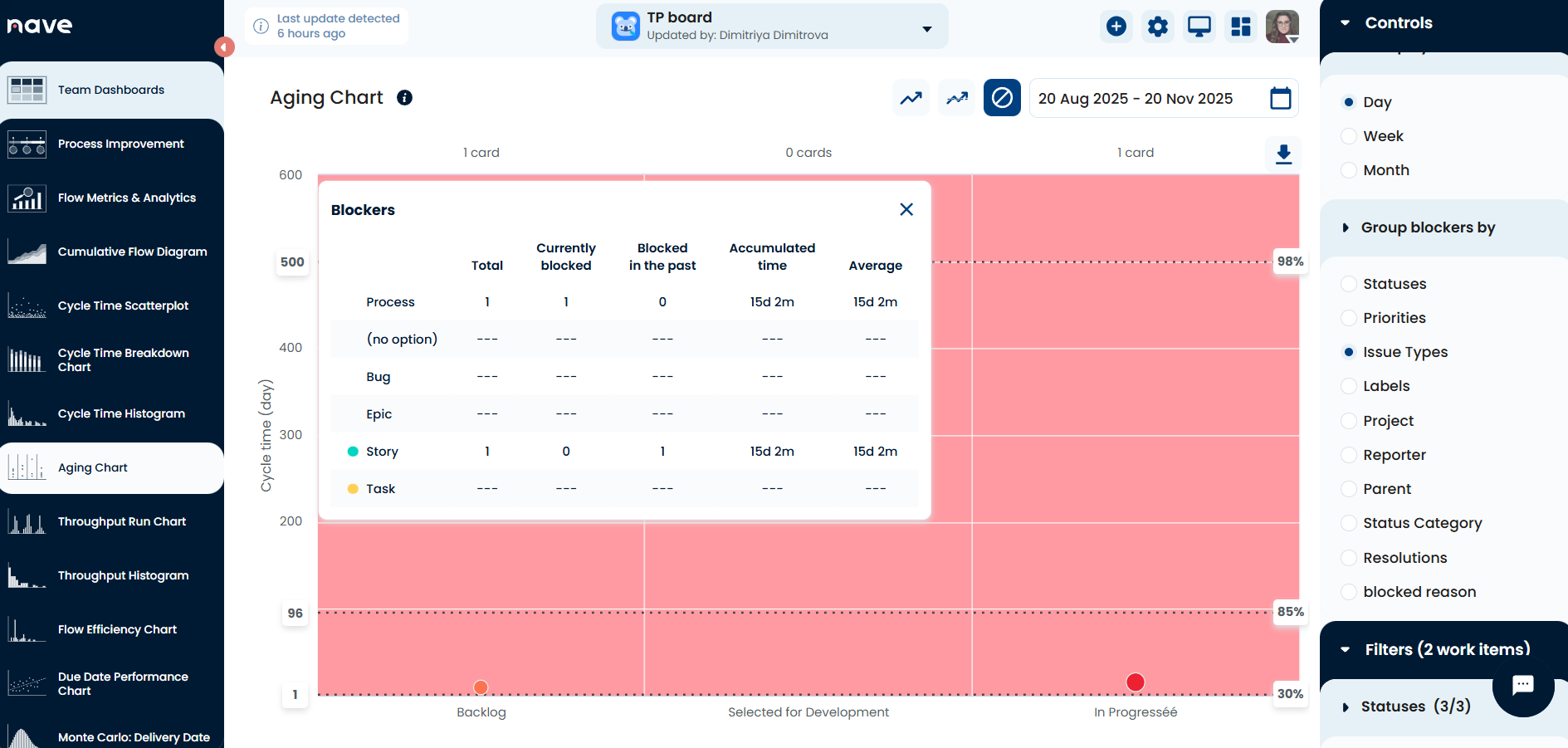
In the Aging Chart, a new “Group blockers by” control allows you to select a specific blocked reason and see items associated with it along with accumulated and average times.
Flow Efficiency now filters blocked time based on your selection and recalculates the metric accordingly, since total time in the formula depends on the chosen option. The radio buttons reflect this logic: All time uses active time plus inactive time plus blocked time; Time without blockers uses active time plus inactive time; Blocked time uses active time plus blocked time.
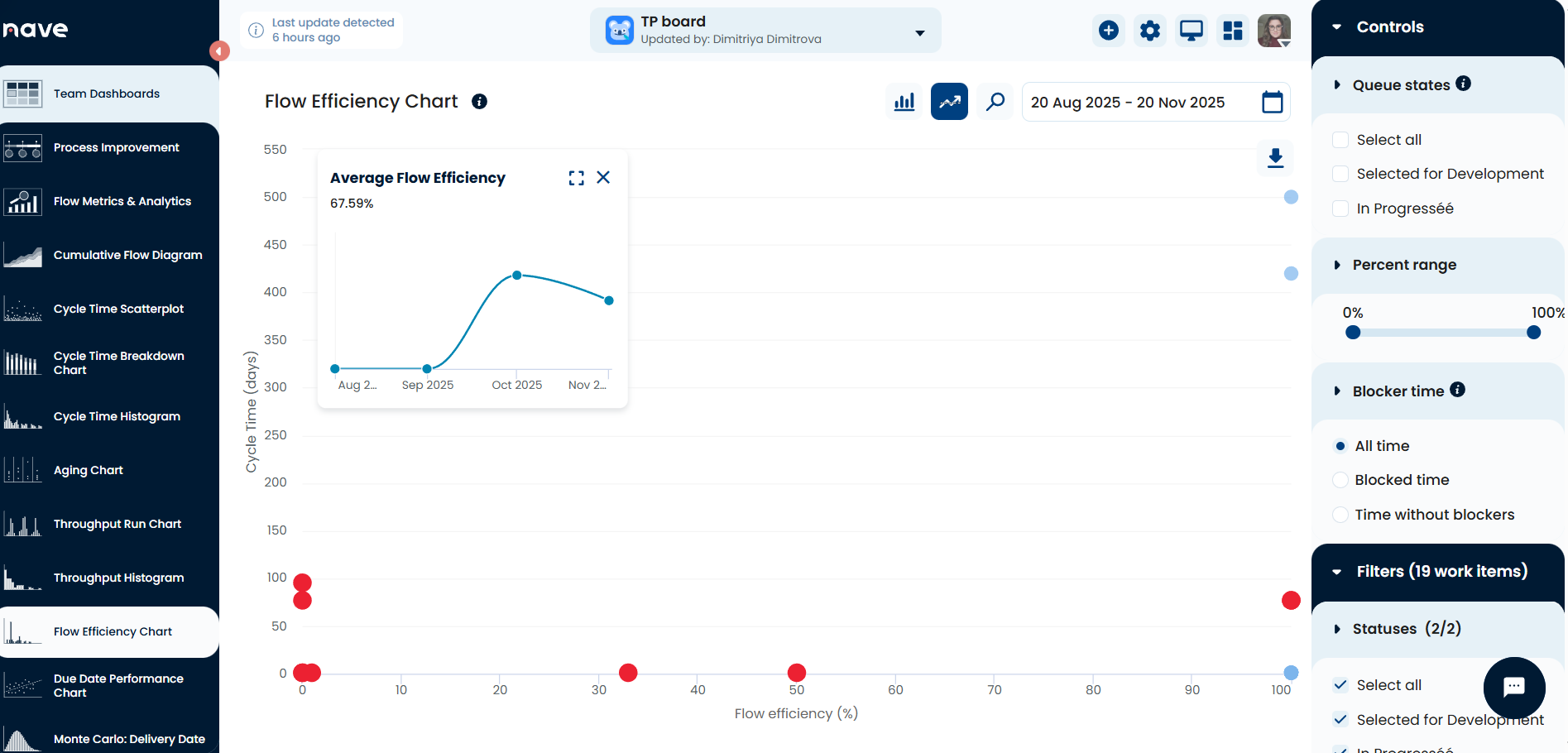
Please note that the Overview and Process Improvement sections do not apply blocked time settings from the filters.
02 December, 2025
Log in to Nave with Microsoft Entra
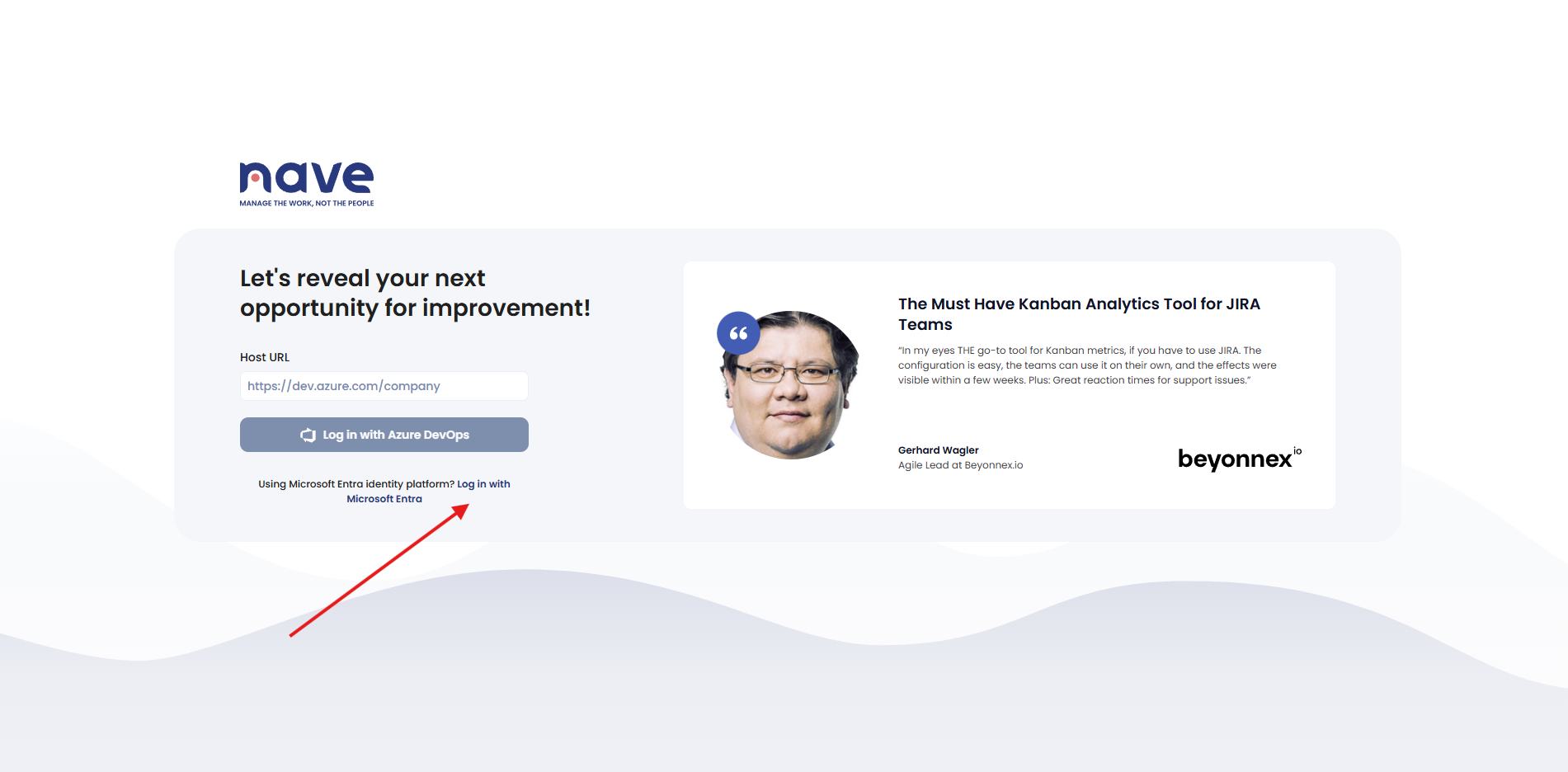
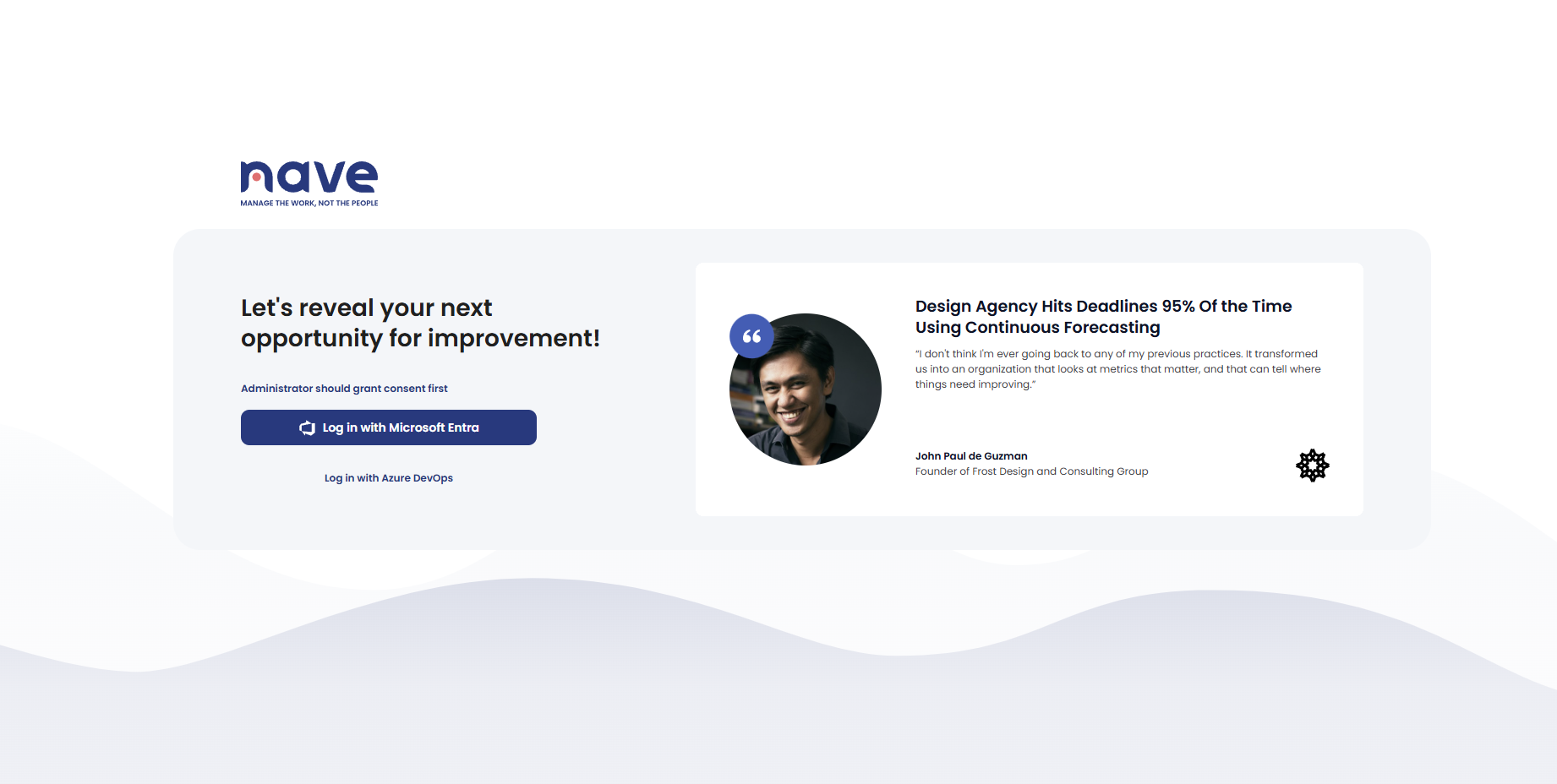
We’ve added the option to log in to Nave with Microsoft Entra as part of our Azure DevOps integration.
Just click Log in with Microsoft Entra and you will be redirected to the Microsoft Entra sign-in page. This update provides a stronger level of security that aligns with your company’s standards.
Ready to transform your workflow?
Take the first step with a 4-day free trial of Kanban Analytics Suite and elevate your team’s performance.