


Sonya, Jira isn’t really optimized for Kanban implementation. How can we work around this?
My friend, I have some exciting news for you!
I’m glad to announce the integration between Nave’s Kanban Analytics Suite and the Advanced Kanban & Agile Boards solution for Jira.
With this partnership, you can now build a full-blown Kanban system within Jira and start running your improvement initiatives as early as tomorrow morning!
Today, I’ll walk you through the basic functionality of the Advanced Kanban & Agile Boards plugin to show you what’s possible and how to maximize your Kanban implementation.
There are features provided by the plugin that I’ve been missing in Jira badly, and I’m excited to reveal what’s now possible for you.
Top Kanban Features Enabled by Advanced Kanban & Agle Boards on Jira
Now, let’s explore each of the concepts in more detail.
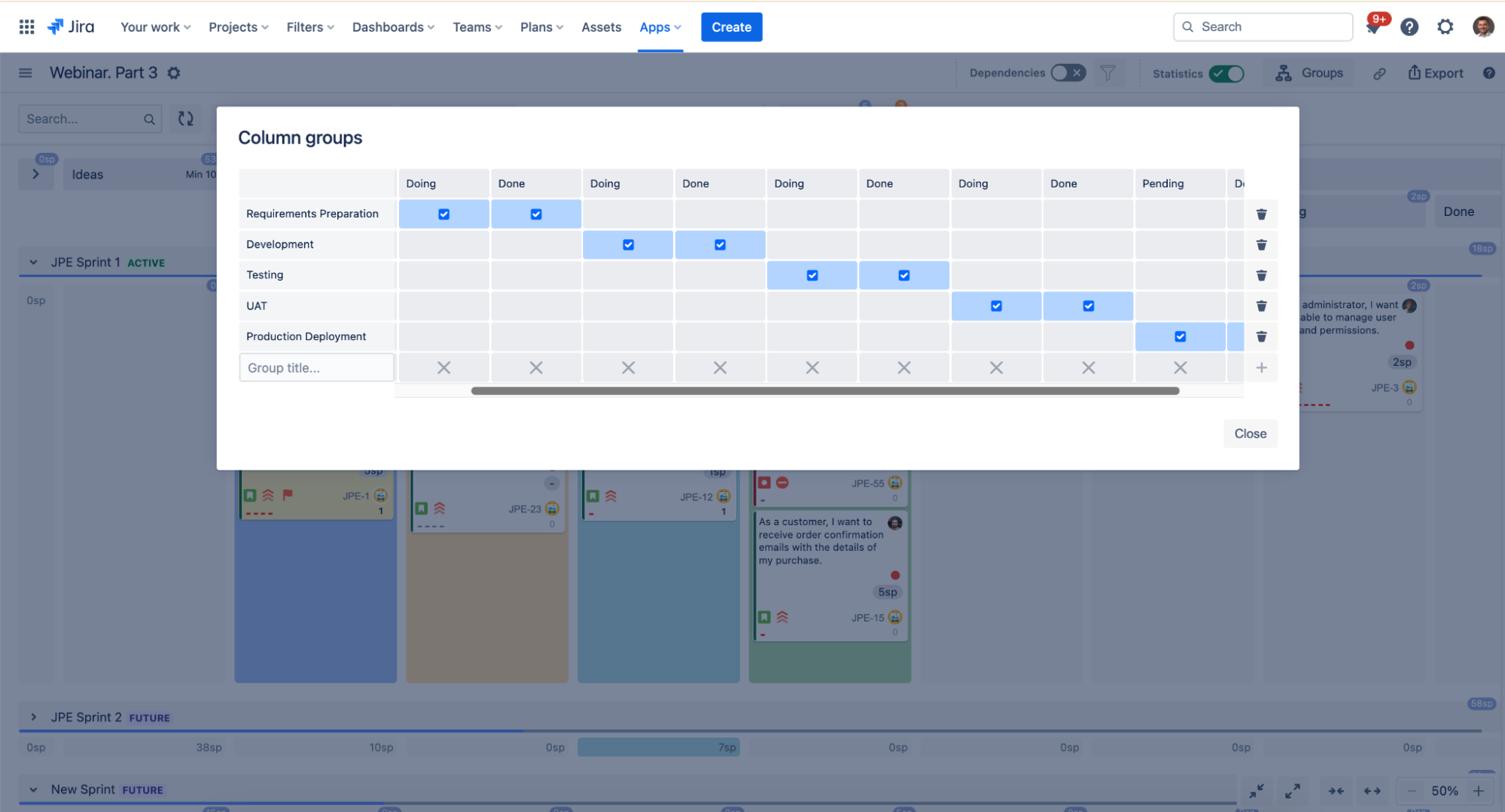
#1 Grouping Doing & Done Columns Together
In a Kanban Pull System, every process state has a Doing and Done column.
With the AKB plugin, you can now group your columns together to keep the user interface clean and organized.
This is what the groups will look like on the board:
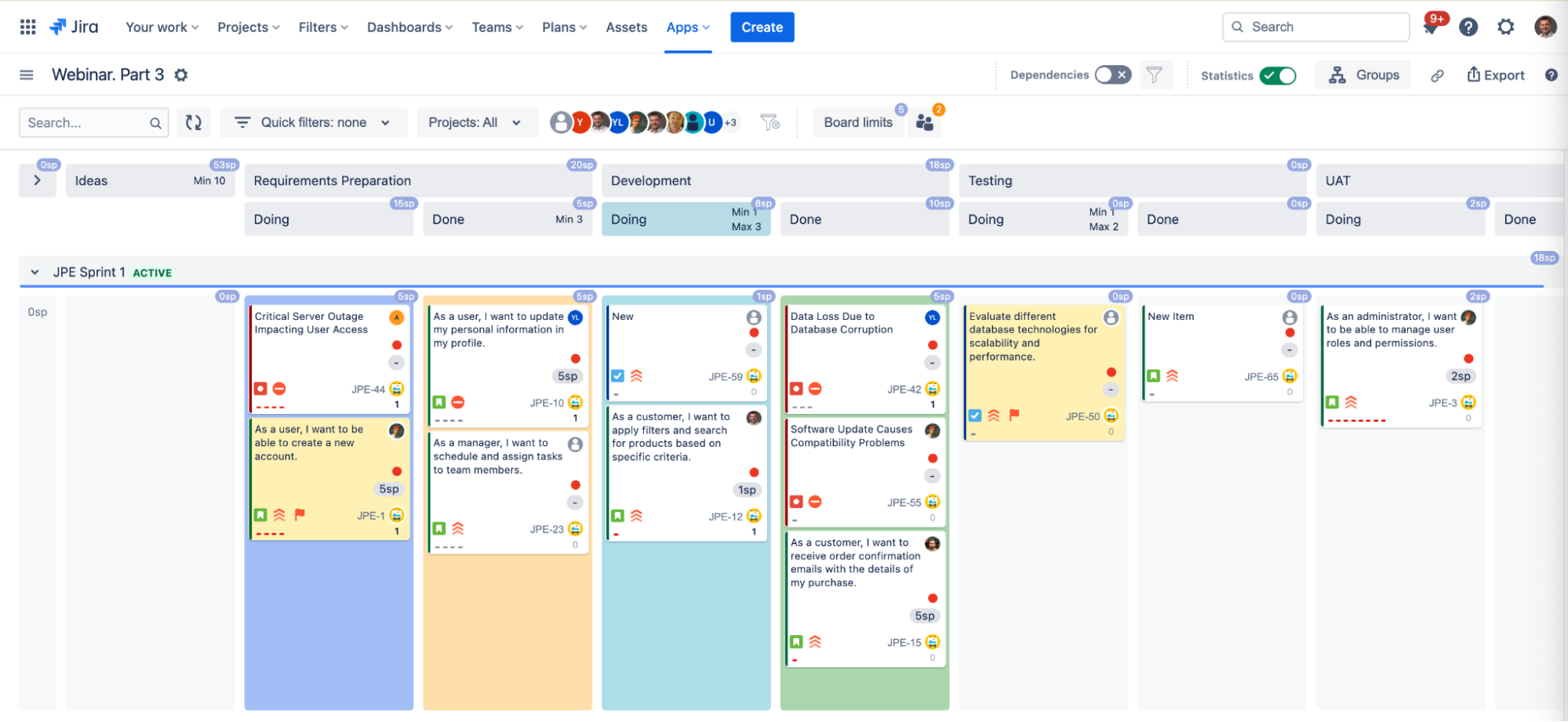
As soon as you have your groups set up, you can use some extra features on top of them!
#2 Implementing WIP Limits
Implementing WIP limits is one of my most favorite (and certainly most effective!) Kanban practices.
Depending on where you are on your journey of adopting Kanban, you may want to get started with applying WIP limits at different levels.
With the AKB plugin, you can assign WIP limits on an individual level:
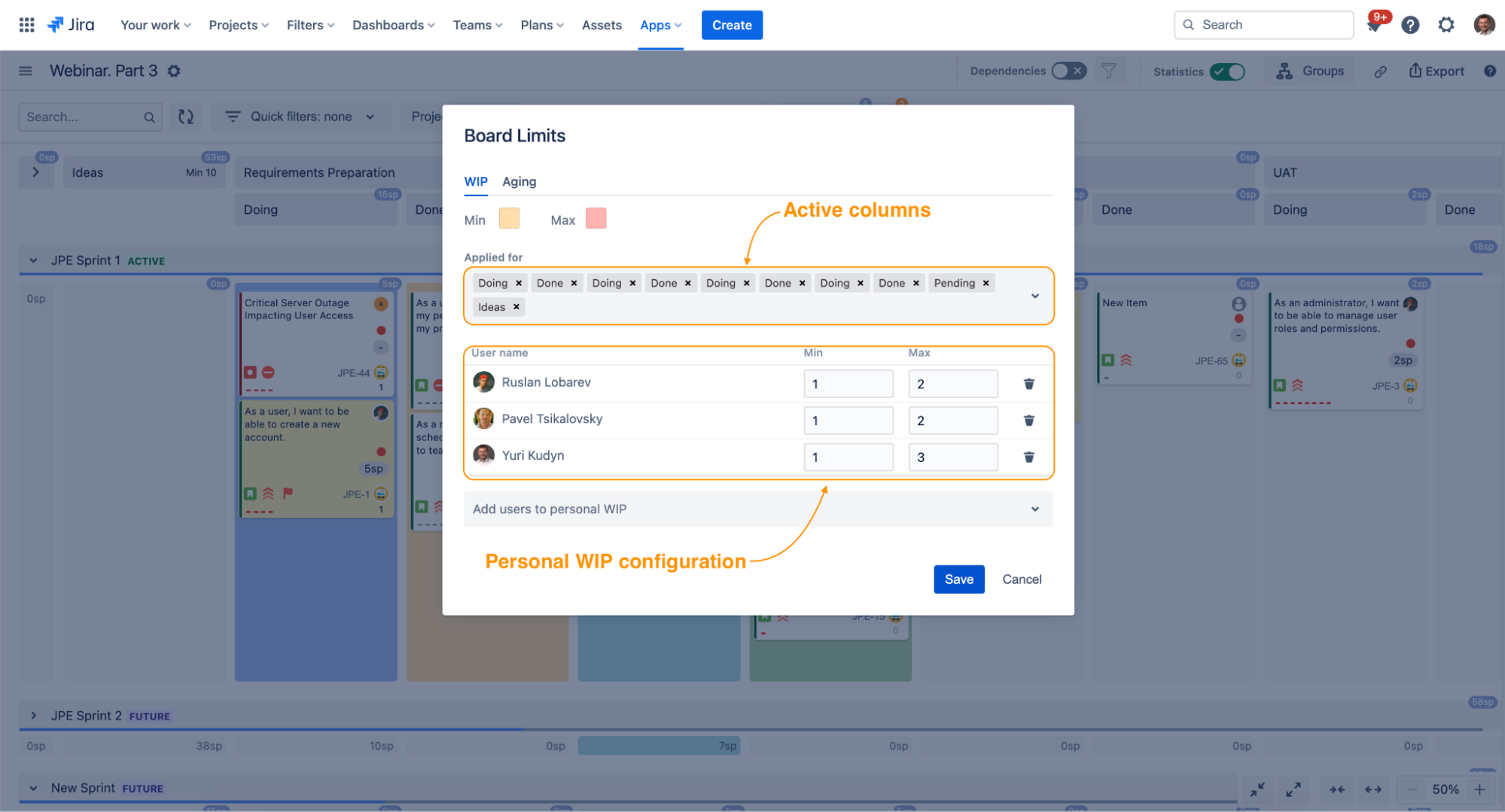
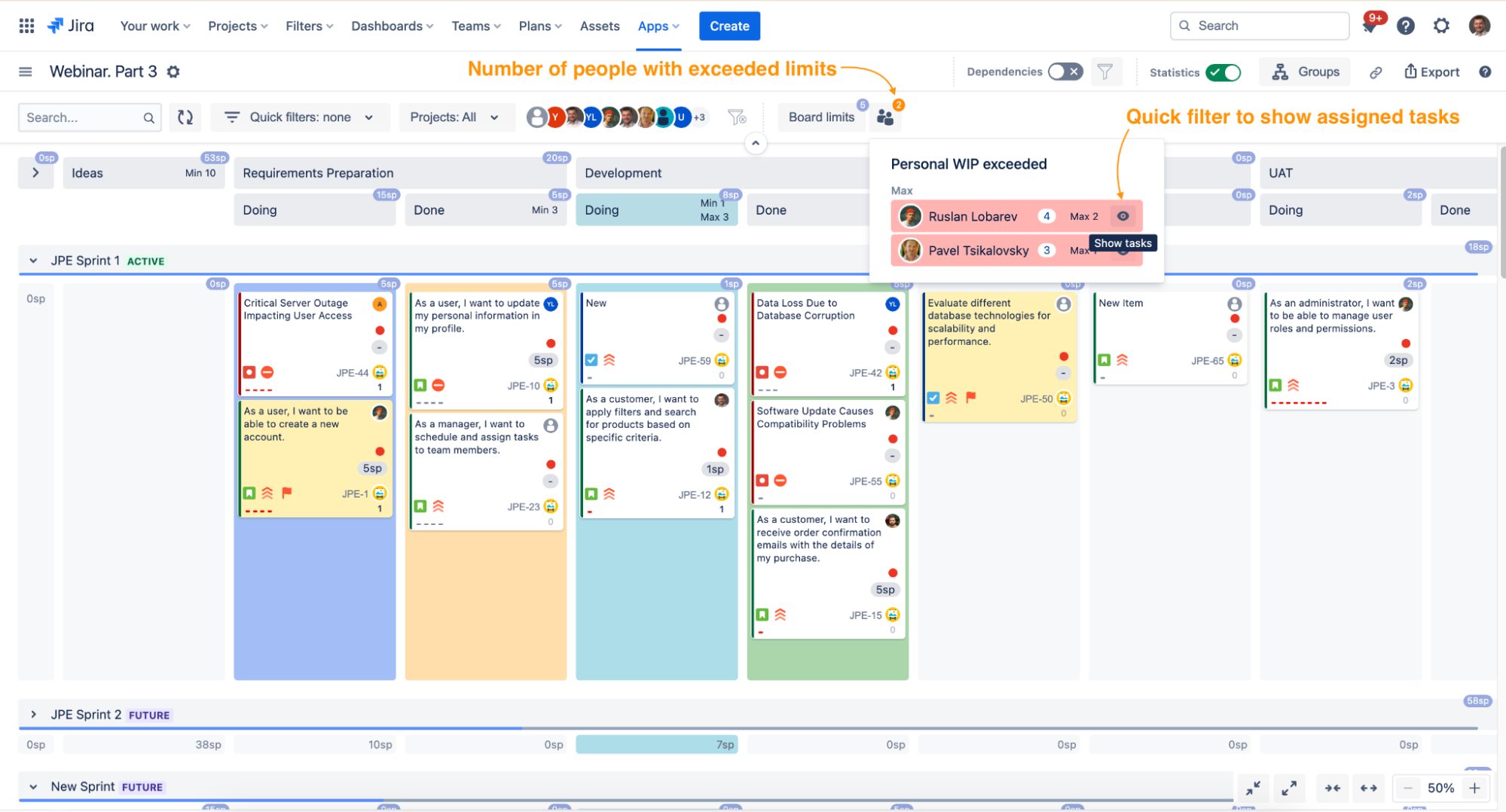
You can also assign WIP limits at a column group level to indicate that the limit applies to both the Doing and Done columns.
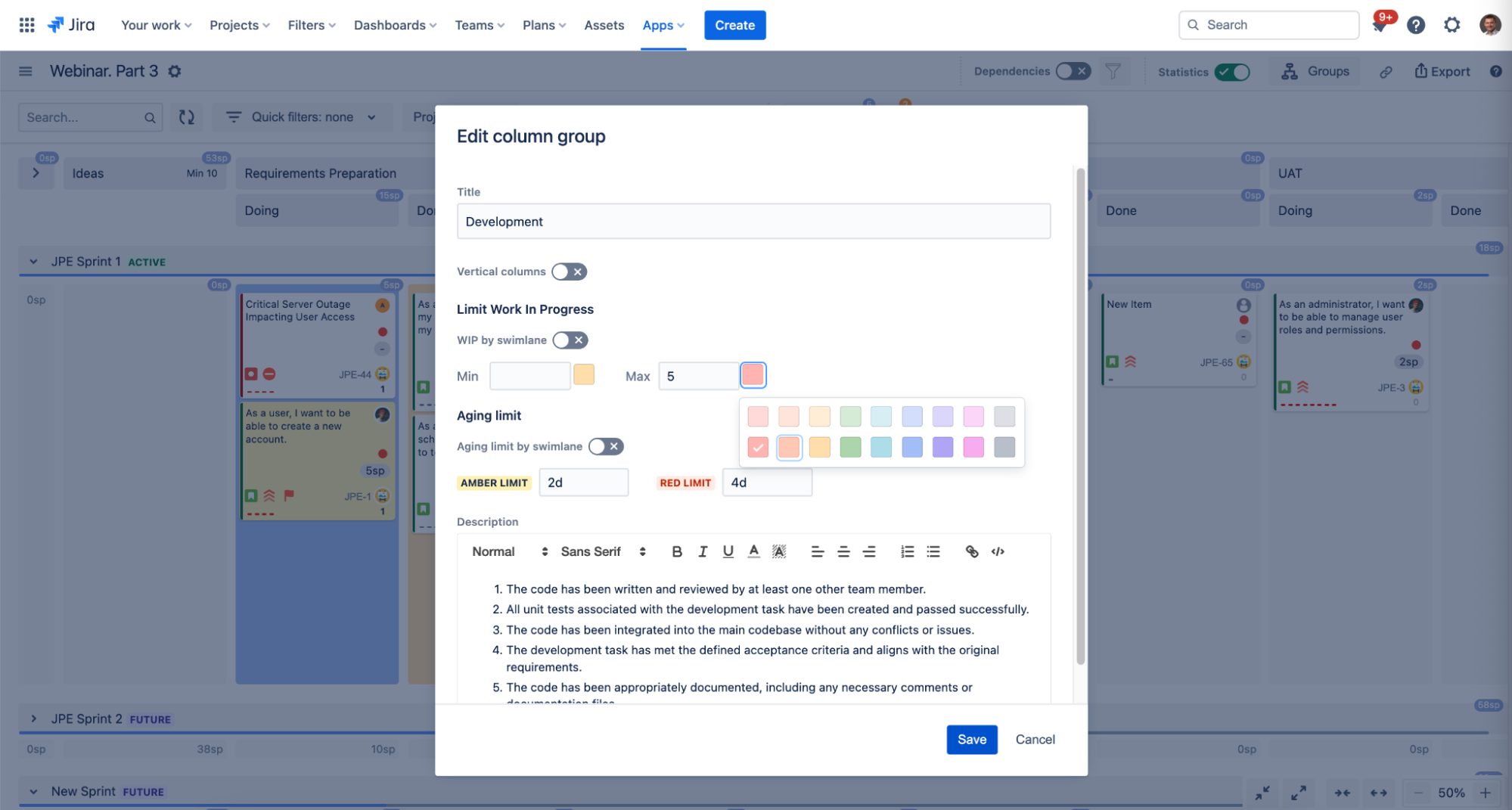
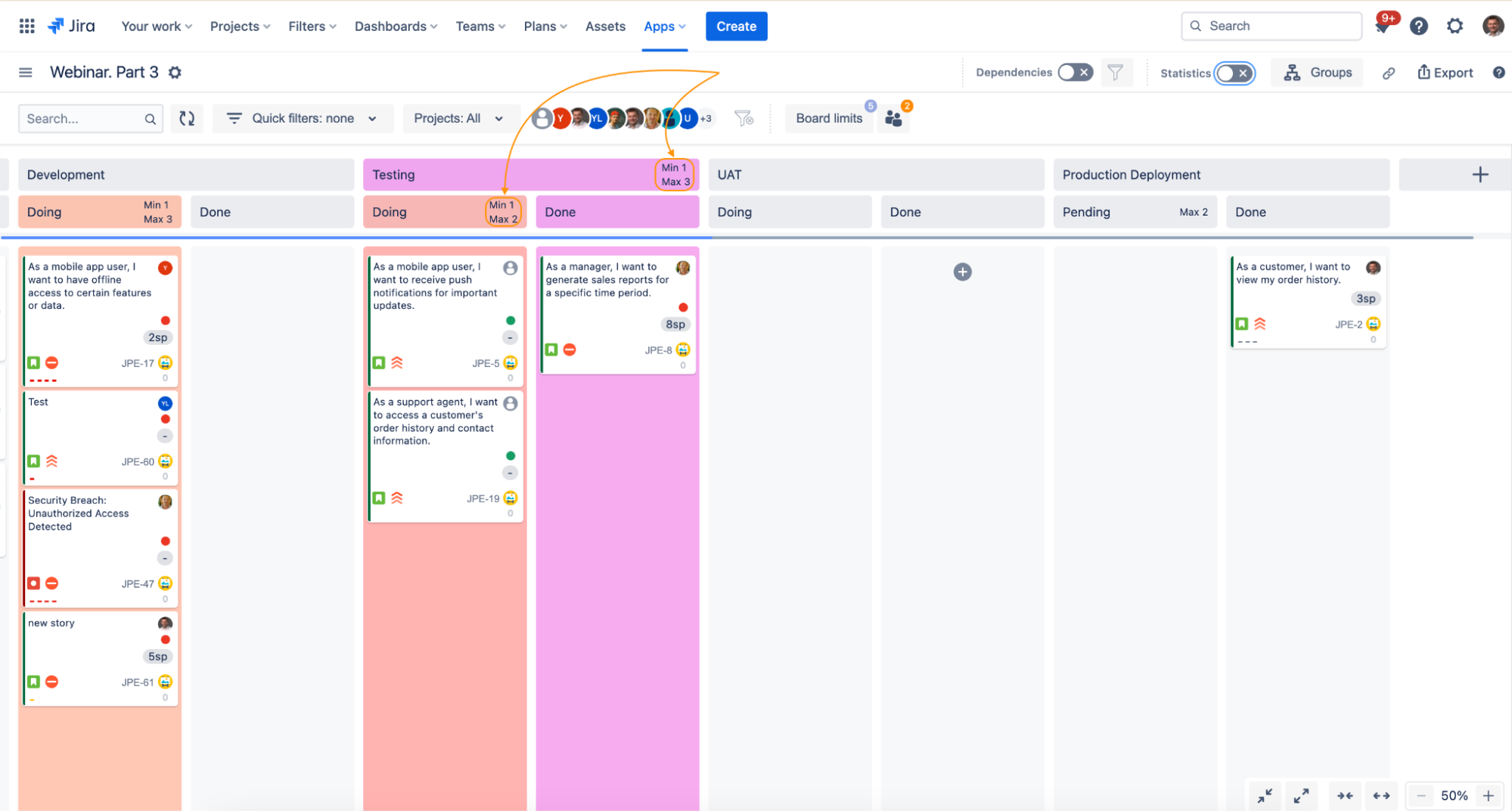
It’s also possible to apply WIP limits at the swimlane level, which proves useful when implementing the concept of capacity allocation.
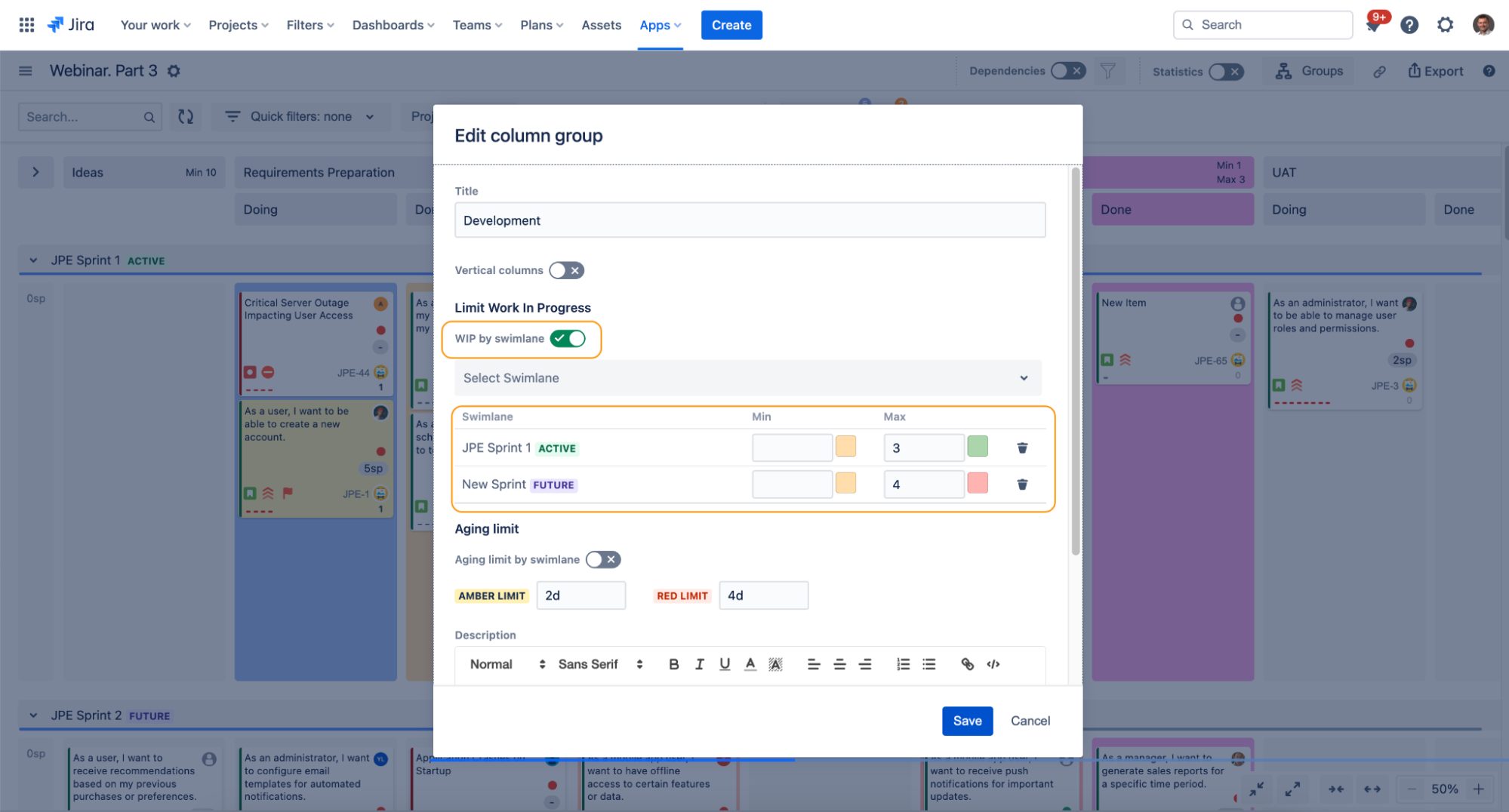
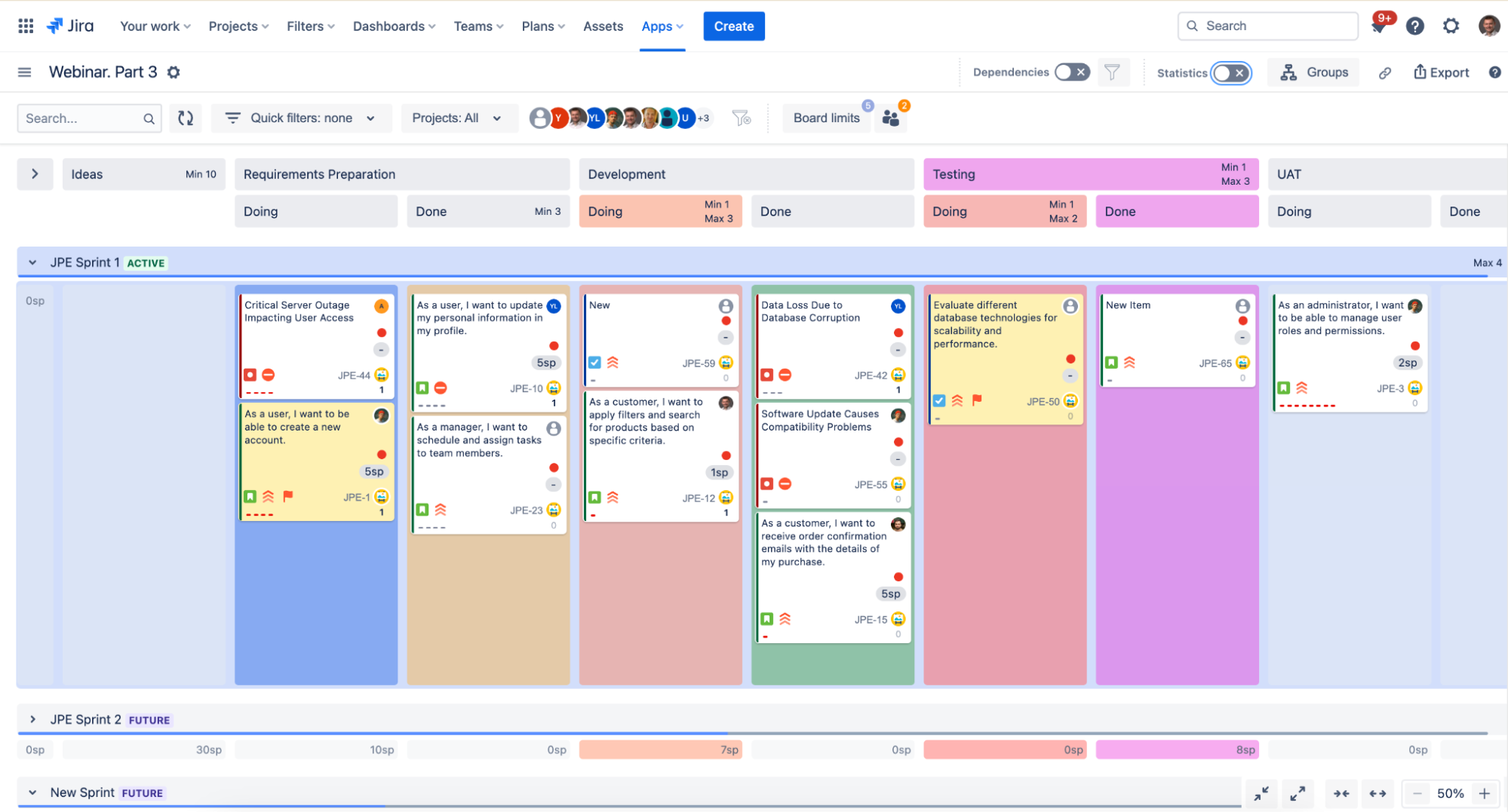
The great thing about it is that you can apply both Min and Max WIP Limits to keep your delivery system stable. You can also define what it would look like if the limits have been exceeded.
#3 Visualizing Explicit Policies
The concept of explicit policies is fundamental in Kanban.
Using AKB, you can easily define exit criteria on a column or column group level. Just click on the “Edit” button and put your explicit process policies in the details.
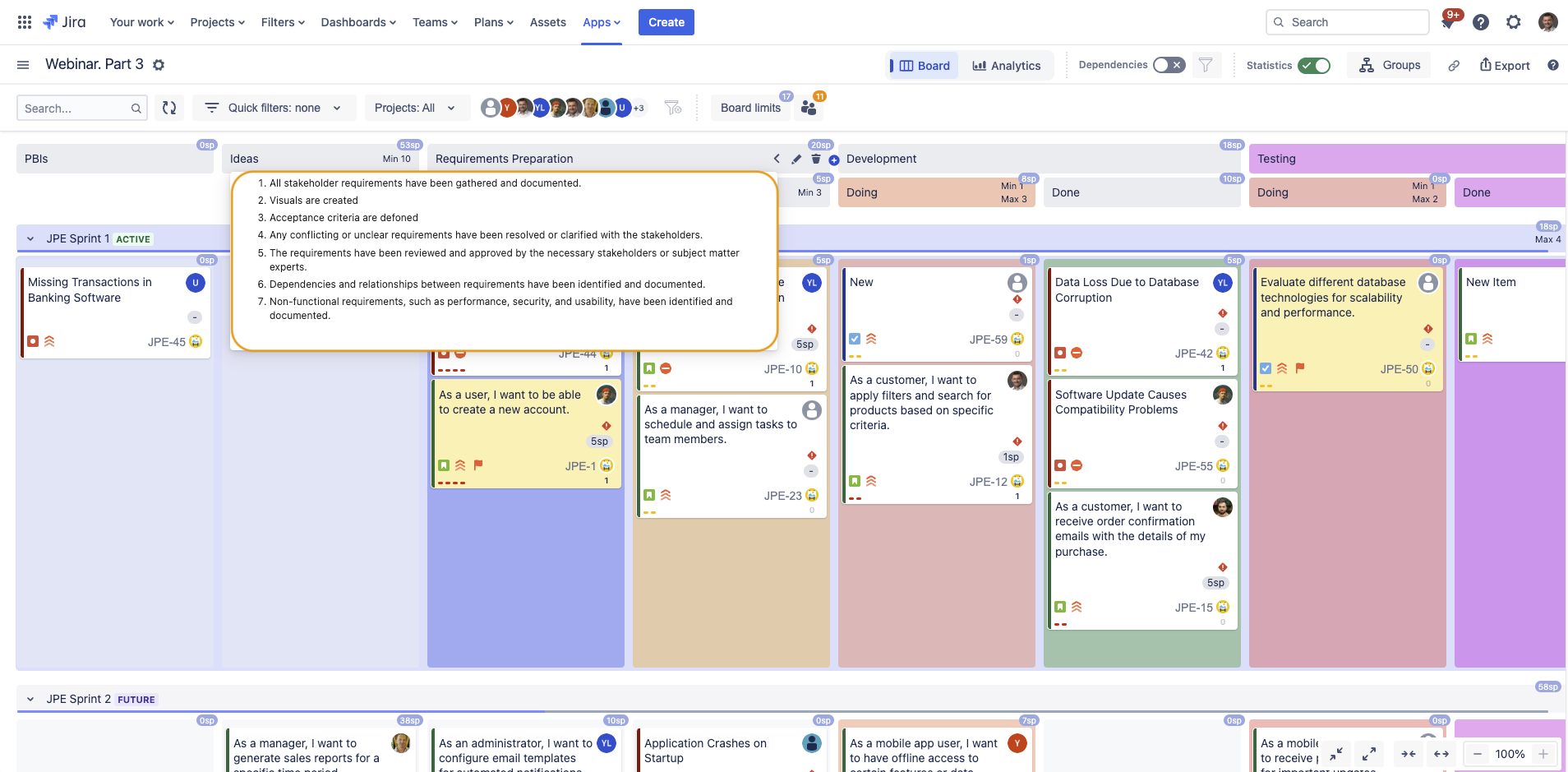
Then, when you hover over the name of the group, you’ll be able to see all the rules right on the board.
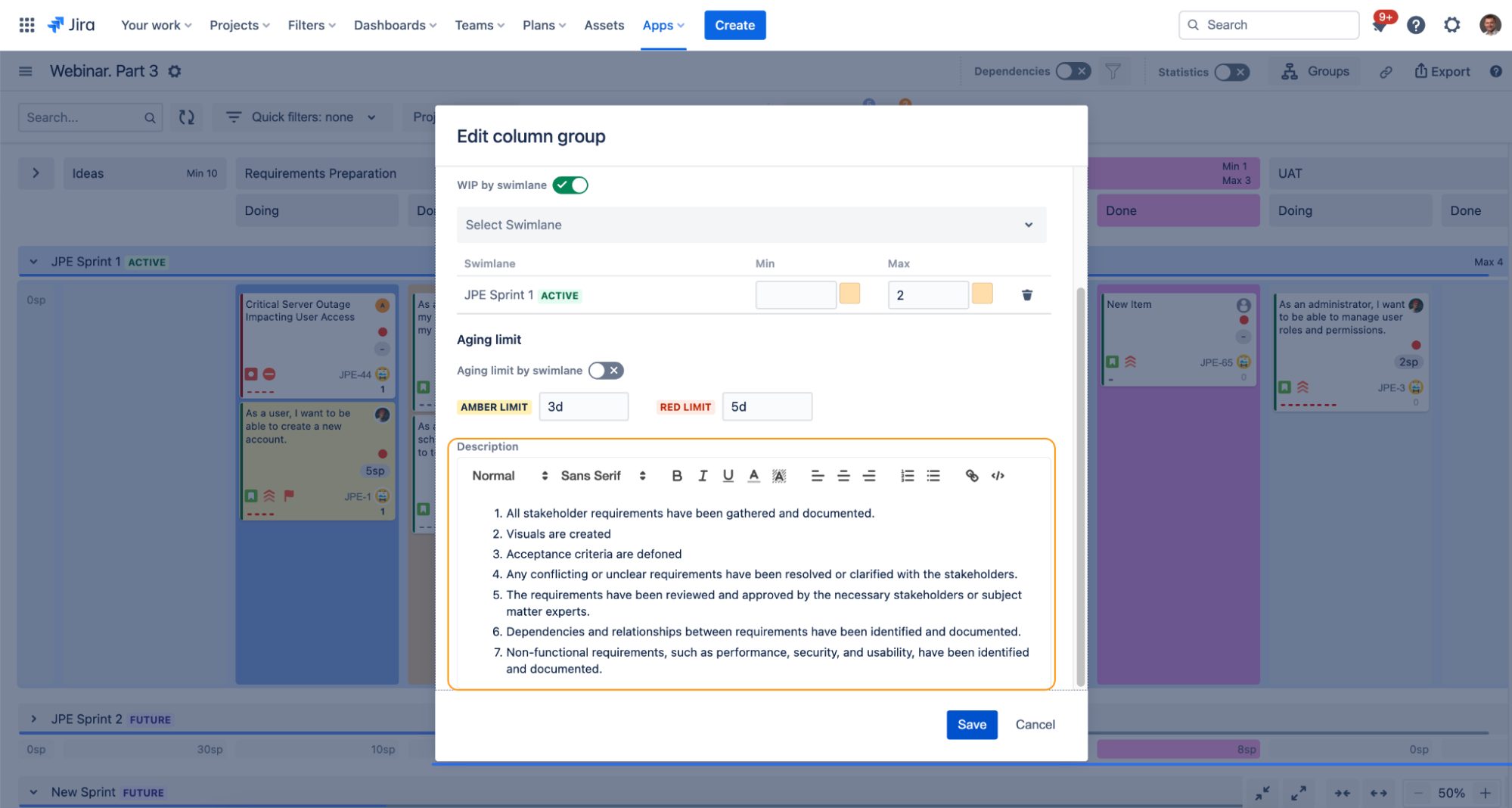
#4 Managing Dependencies
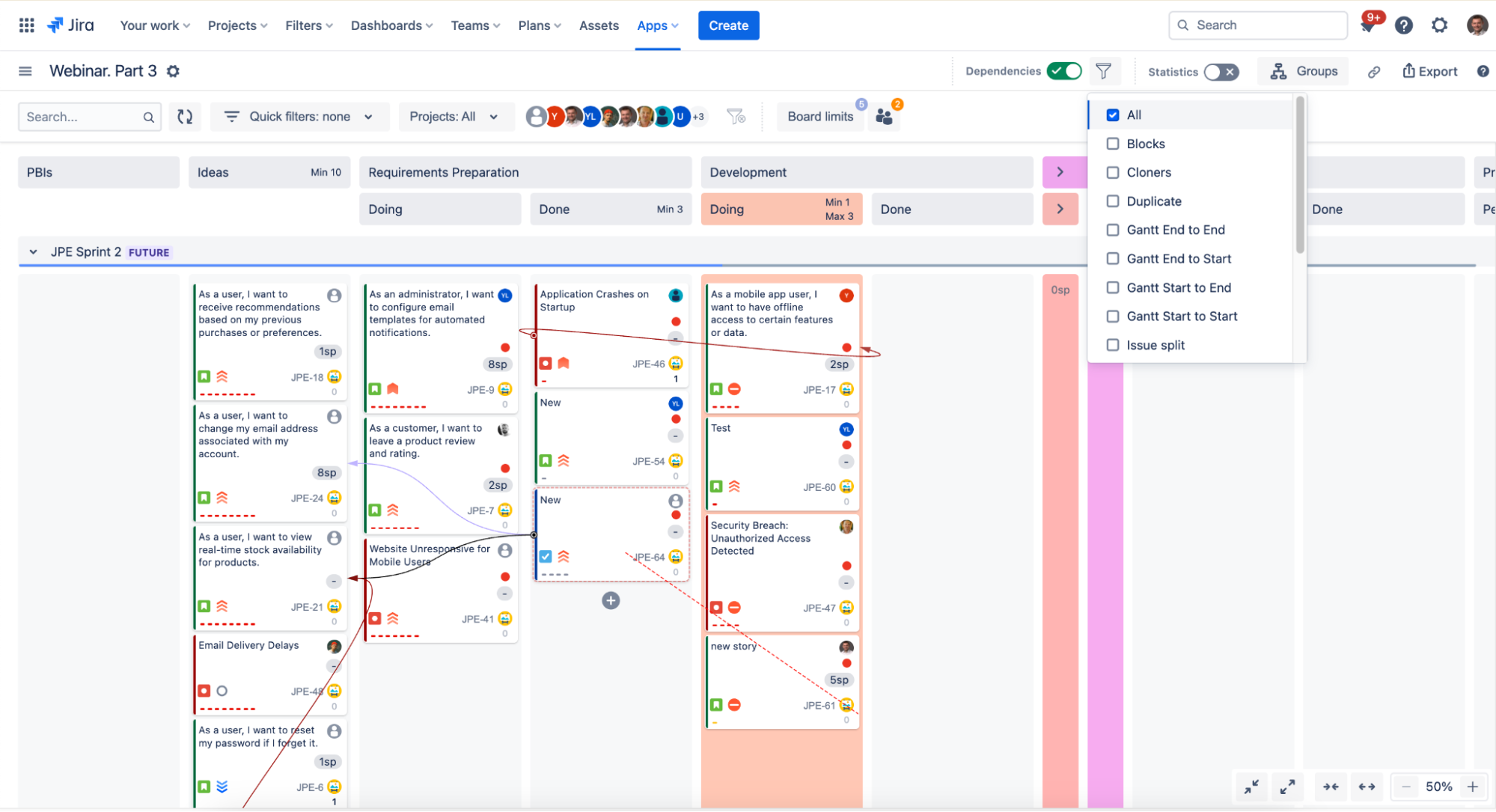
With AKB, you can now visualize and monitor the dependencies between your tickets right on the board.
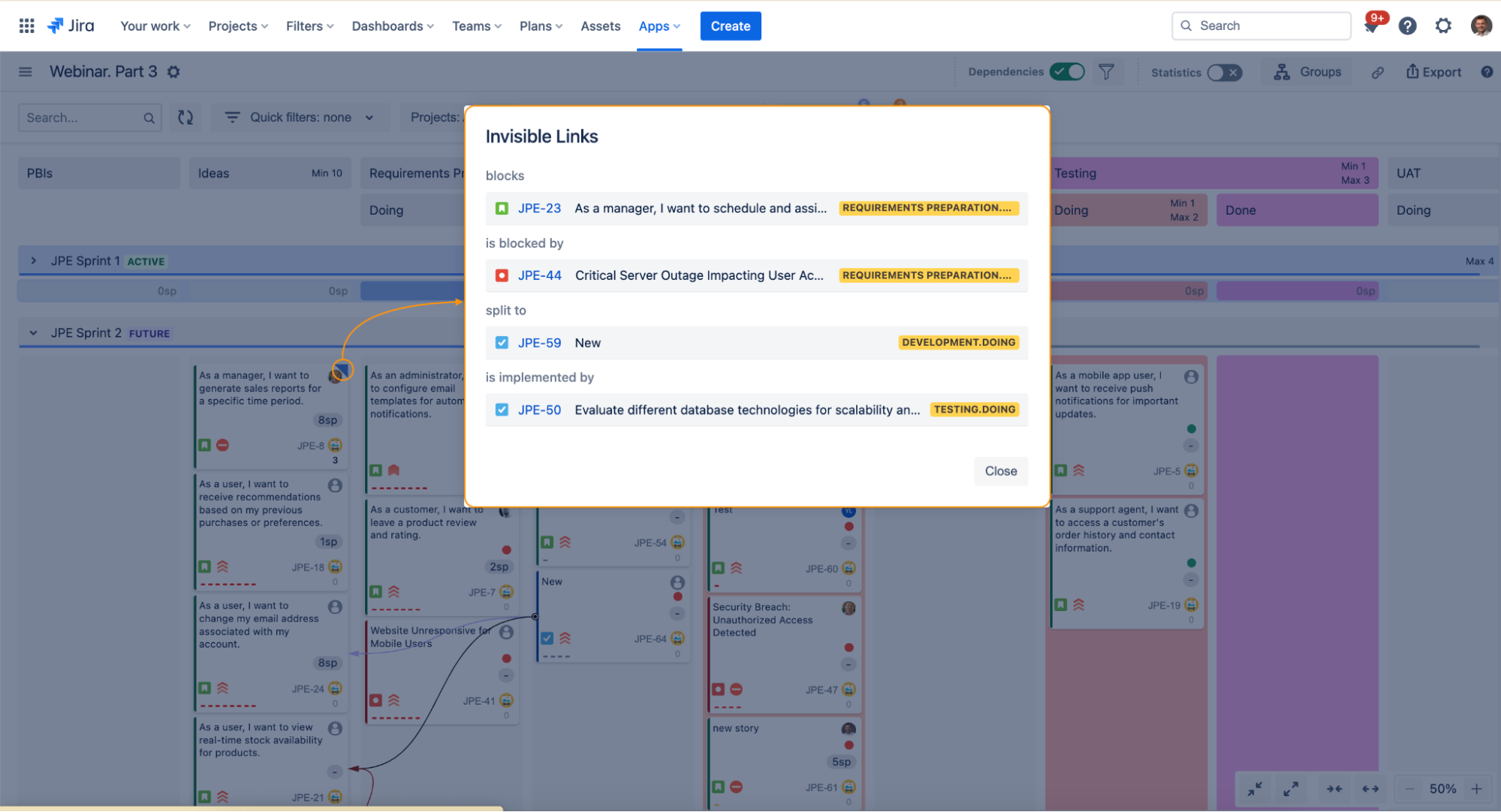
Not only that, but you’re able to track dependencies that are outside of the board and monitor their states:
You have the flexibility to assign different colors for each dependency type to implement dependency management classes.
#5 Integrating with Kanban Analytics
I don’t know how you feel about all this so far, but I got really excited!
Last but probably most important (and yes, I’m incredibly biased!), AKB integrates smoothly with Nave’s Kanban Analytics suite, allowing you to analyze the performance of your workflows directly without leaving Jira.
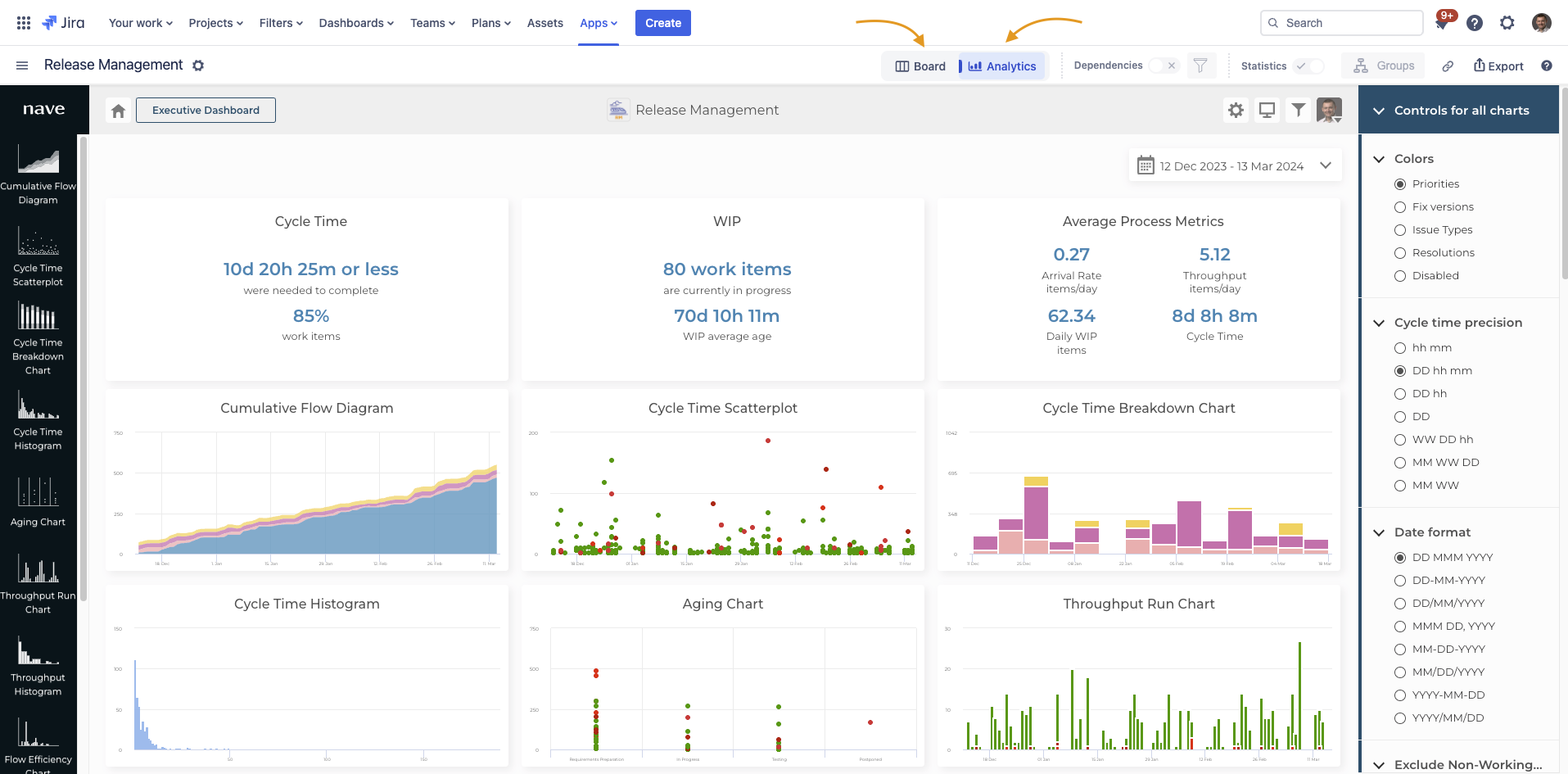
You can now switch between both views to manage your work and analyze your performance data. The best thing? You just plug both add-ons into your Jira instance and you’re good to go!
Your Action Item: If you haven’t explored the Advanced Kanban Boards Plugin for Jira, this is the right time to get started. It’s free for 30 days, no CC required →
Start your free trial today and get 10% off all yearly plans using code AAKBNAVEANNUALLY and all monthly plans with code AAKBNAVEMONTHLY for the first year!
What I love the most about this partnership is the actual end result for you! Hooked up together, these tools enable you to get started with your Kanban journey right now.
You don’t have to switch from Jira to a Kanban specialized tool to start making reliable decisions and optimize the way you work. You don’t need to spend countless hours configuring solutions or hire specialists to make this work. It’s just plug and play, and you’re good to go!
Please share this article on your social media network. We strongly believe that this integration is going to be a game changer for the Kanban industry, and I’d be grateful if you could help us spread the word.
Next week, we’ll explore AKB in more detail and reveal how you can use it to make the transition from Scrum to Kanban seamless, so stay tuned! I’ll see you then, same time and place! Bye for now.

Advanced Kanban & Agile Boards looks awesome, but donesn’t have a Data Center version it appears.
They’re planning to roll this out later this year!
Can we also have a similar blog for Rally Tool.
Dear Bhanu,
We don’t support an integration with Rally at the moment, I’m afraid. However, you can look into this alternative instead https://getnave.com/blog/loading-data-to-nave/
I hope this helps 😊
Hello,
Is it possible to get free licences for a limited amount of time in order to test the plugin ?
Hey Maryem,
Both plugins come with 30-day free trials, so go ahead and give it a try
This is very cool and you see there is a LOT of work behind this!
My only feedback would be the layout of the cards. It is purely esthetical but I think having the same margin and padding would give a more seemless experience to the user.
Great work guys!
Hey there Danny 😊
Just to clarify, Advanced Kanban Boards is not a product developed by Nave.
It is provided by Release Management; we partnered together to make this integration possible.
You can learn more about it here https://marketplace.atlassian.com/apps/1223877/advanced-kanban-agile-boards?tab=overview&hosting=cloud
If you decide to subscribe, make sure to use the discount code for 10% off for the first year: AAKBNAVEANNUALLY and all annual plans AAKBNAVEMONTHLY for all monthly plans!
Enjoy! 🙂
Baixei a versão free do Kanban Analytics mas está pedindo a chave pública do consumidor , como obtenho esta chave para usar o plugin Nave no Jira?
Dear Ericson,
Please contact us at hello@getnave.com and our team will walk you through the steps.
This plugin is exactly what I need, does it have a Data Center version?
Hi Ruslan,
Thank you for reaching out! Unfortunately, there isn’t a Data Center version of the plugin at this time. If you have any other questions or need assistance, feel free to let me know!